AI-assisted language processing
Tantalum Transcription, translation & verification
Tantalum is Blackline Systems' transcription and translation workflow platform for audio, video and text. It combines automated speech recognition and contextual translation with structured human verification so organizations can move from raw media to reviewed, exportable transcripts far faster than traditional manual processes.
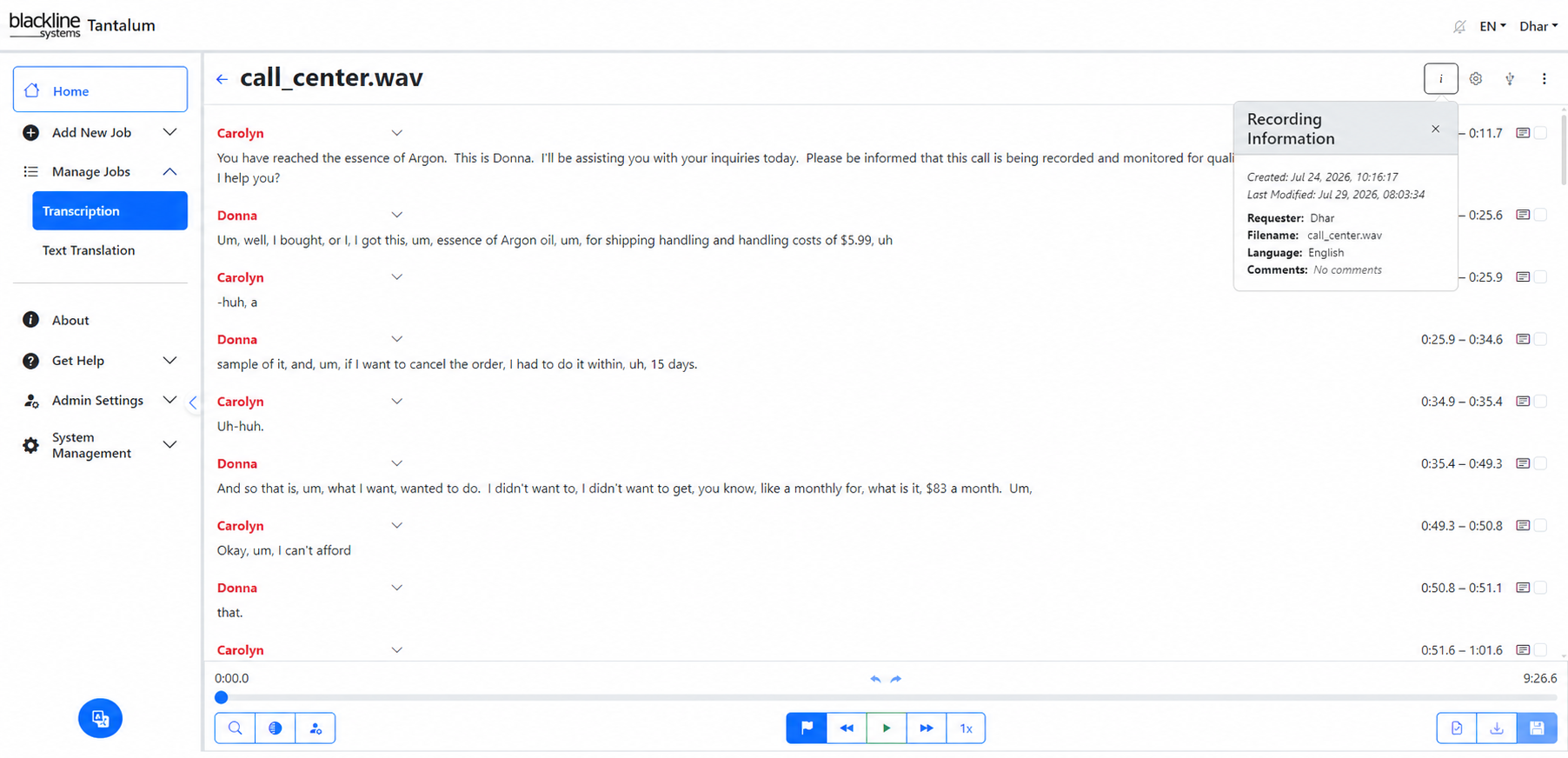
From media to reviewed text
Reduce transcription effort without removing human judgement
Traditional verbatim transcription can consume four to eight hours of human effort for every hour of audio, with translation adding still more time. Tantalum automates the first pass, preserves the details required for verbatim review, and places the result into an integrated verification workflow before material is released.
Transcribe
Process audio and video rapidly, including batch submission of media carved from devices or collected from other sources.
Translate
Translate transcripts contextually and support text-to-text translation both to and from English.
Verify
Route transcripts to human verifiers with synchronized playback, confidence cues, progress tracking and workflow controls.
Verbatim matters: Tantalum is designed to retain filler sounds, affirmations and negations that commercial transcription services may suppress, supporting workflows where the precise spoken record matters.
Managed workflow
One path from intake to approved output
Tantalum combines the transcription engine with the operational workflow around it: job submission, automated processing, verifier assignment, status tracking, review and export.
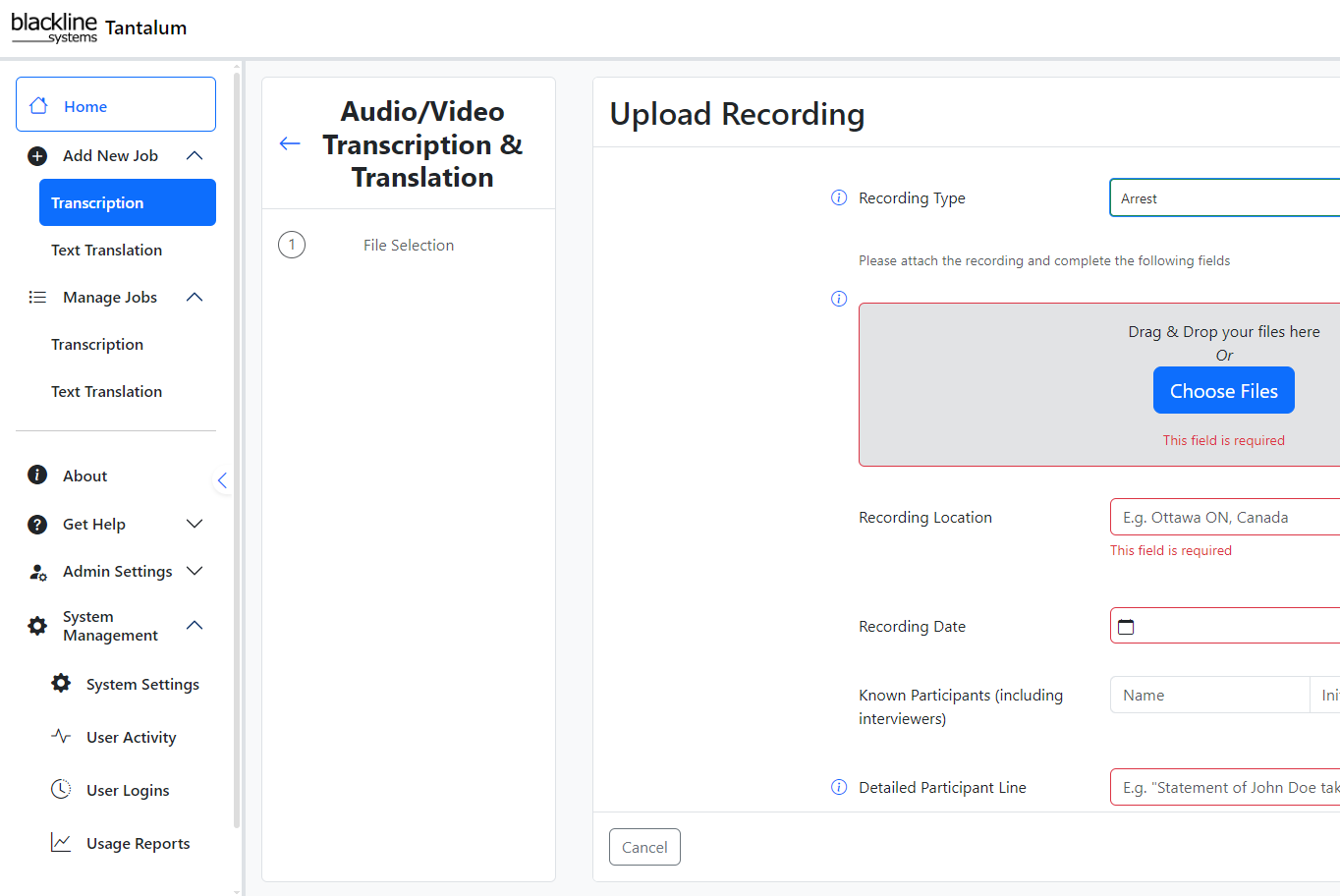
Designed for queues, not one-off files
- Drag-and-drop batch upload for multiple audio or video files
- Automatic detection of audio format, sample rate and channel count
- Language selection with automatic detection when the language is unknown
- Speaker-count estimation and diarization pre-configuration
- Priority and deadline assignment
- Verifier assignment with workload awareness
Human-in-the-loop verification
Make the review step faster, visible and repeatable
Where policy requires a human-reviewed transcript, Tantalum does not stop at automated speech recognition. Its verification editor is built around listening, correcting and approving the generated record efficiently.
Verification editor
- Side-by-side audio, video and transcript text
- Variable-speed playback from 0.5× to 2.0×
- “Karaoke” mode with word-by-word highlighting synchronized to audio
- Spellcheck using your installed dictionaries
- Low-confidence word identification and colour cues
- Macros for common editing patterns
- Speaker labels and timestamp insertion
- Video playback while verifying text from video sources
- Progress tracking within each transcript
Language capability
Transcription and contextual translation across 60+ languages
Tantalum can identify an unknown source language, generate a transcript and produce contextual translation. It also supports English with 60+ other language pairs and also French with other language pairs for text-to-text translation.
Auto language detection
Useful where incoming media is not labelled or contains material from varied sources.
Speaker diarization
Separate up to ten speakers in a mono-channel recording to improve readability and review.
Engine flexibility
The platform can integrate different ASR engines as new or improved speech-recognition technology becomes available.
Work management
Know what is waiting, who owns it and how far it has progressed
Tantalum adds queueing and accountability around transcription work so administrators and verifiers can manage volume rather than trading files and status messages manually.
User status and administration
- Real-time dashboard of assigned verification jobs
- Progress indicators for each transcription
- Priority queues and deadline visibility
- Quick access to pending, in-progress and completed work
- Notifications for assignments and returned revisions
- User and administrator accounts with configurable permissions
- Integrated file activity logging
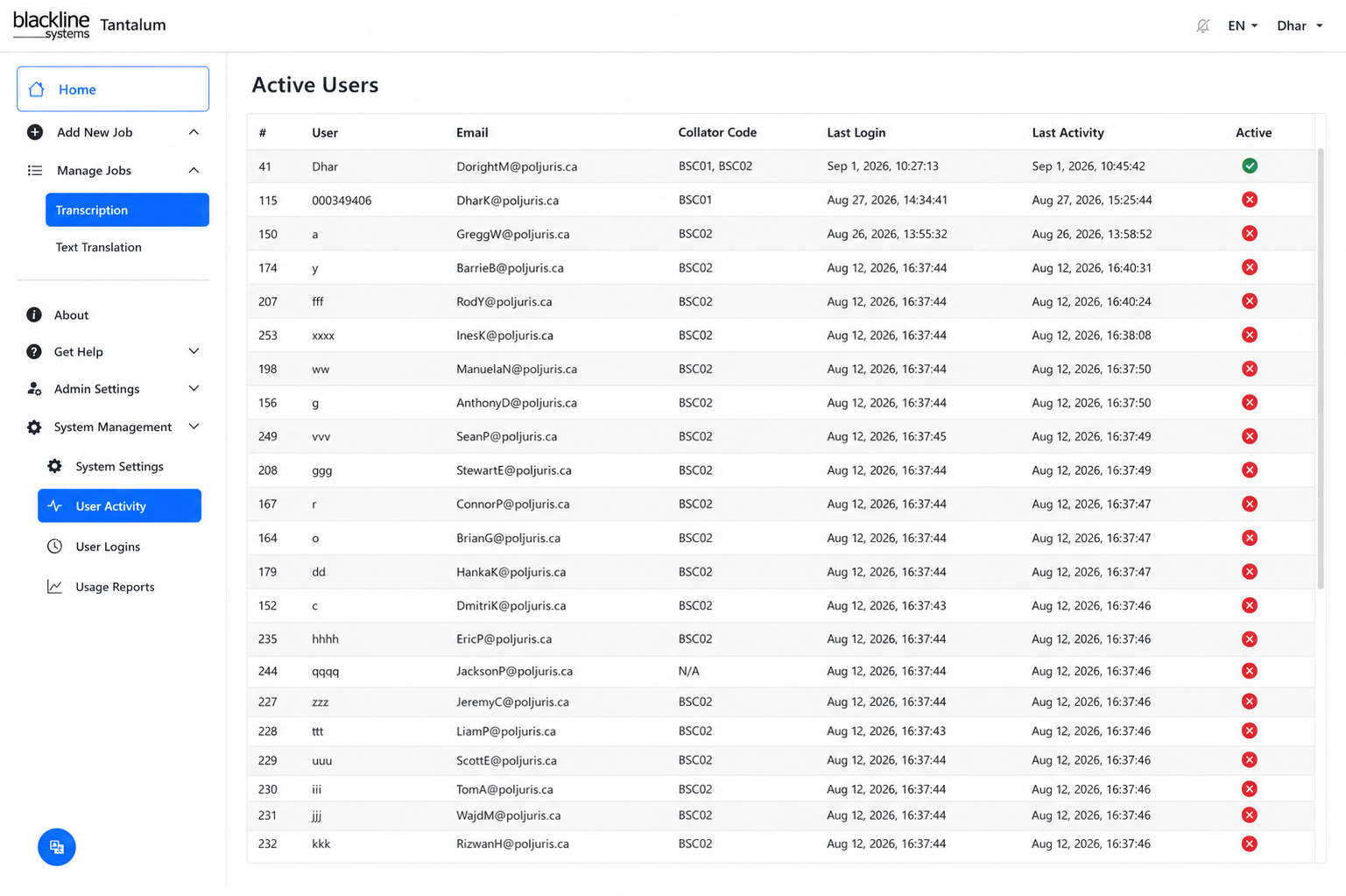
Reviewed results
Human-readable transcripts and machine-readable data
Once verification is complete, Tantalum can produce conventional transcript formats as well as structured output for integration with other systems and analytical workflows.
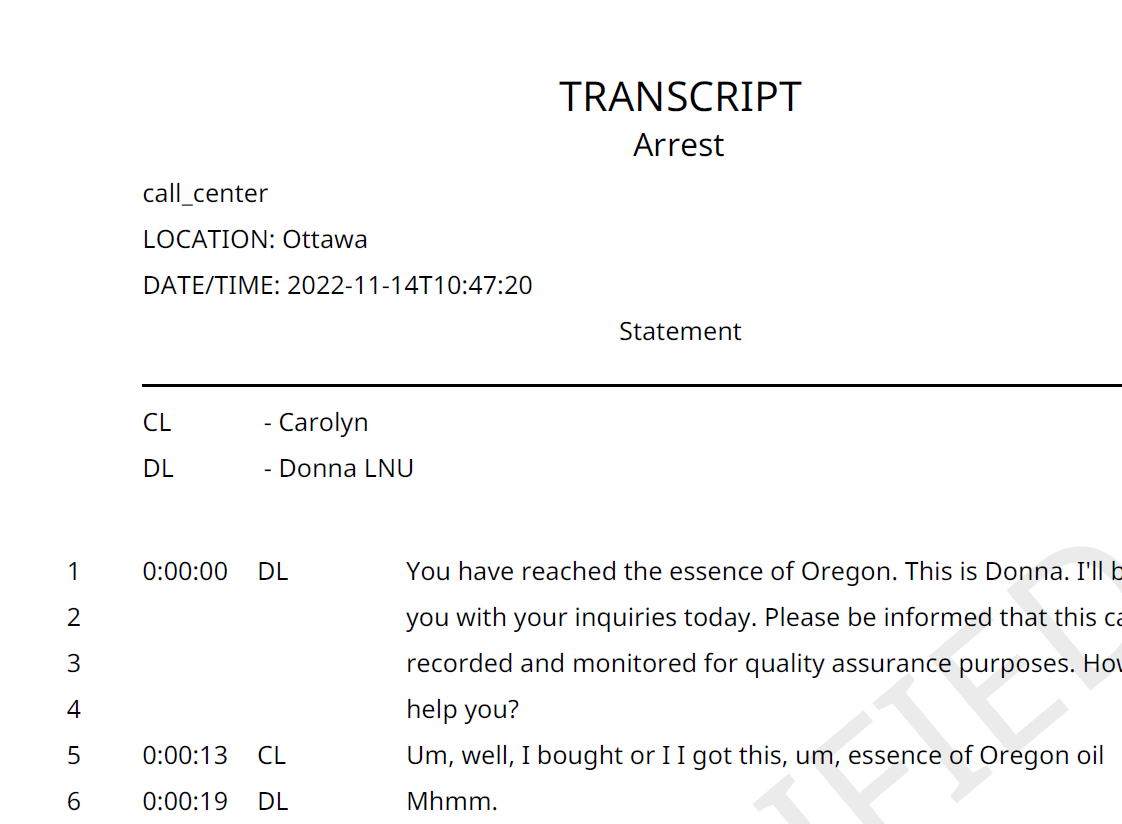
Export options
- Formatted text with speaker labels and timestamps
- PDF output with headers and pagination
- Machine-readable JSON containing metadata and confidence information
- Time-coded segments for integration with downstream case-management or analytical systems
- Support for redacted and unredacted version workflows
Available output and integration options can be tailored to the deployment and workflow requirements.
Lifecycle support
Operational support after deployment
Annual maintenance provides access to Blackline support resources, software updates and security communications.
Portal access
Code updates, notifications, reporting and document/status information.
Technical support
Telephone support and access to applicable product updates.
Security notifications
Security-related communications can be delivered through encrypted email.
Road map: Current product road-map information is available from Blackline on request.
Turn transcription backlog into a managed verification workflow.
Talk to Blackline about Tantalum, supported languages and media, transcription and translation workflows, verification requirements, deployment options and integration needs.
Contact Blackline Systems